What the assistant reads from the Programia API
| Data from the API | What the customer gets |
|---|---|
| Products: name, code, EAN, price, image, link | Product cards and exact lookup by code or EAN |
| Parameters: compatibility ("Suitable for"), dimensions, OEM numbers | Search by machine model, dimension or OEM number, if the e-shop fills them in |
| Stock | Availability on the card: in stock in green, sold out in red |
| Orders and their statuses | Order status, parcel number and shipment tracking link |
| Invoices | PDF download after verification with the order number and email |
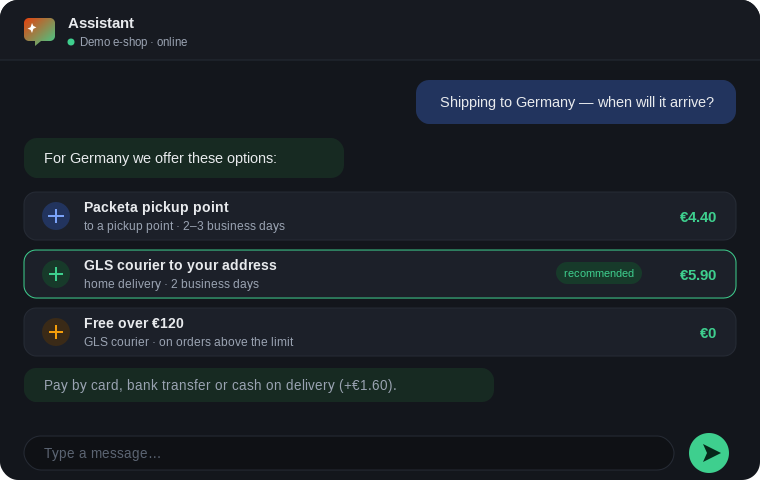
| Shipping and payments | Prices and terms exactly as set up in the e-shop |
| Categories | Finding the way around the range when the customer doesn't know where to start |
The assistant uses only the read parts of the API. We will never give it access to write operations (data import, order changes). We also strip internal identifiers and contact details from API responses before they reach the language model.
How the connection works
- API key. Get the API key for your e-shop on Programia and its address, typically
https://api.your-eshop.com. - Widget in the admin. In the e-shop.report admin, create a widget: API address, key, language, currency and the domain the chat should run on. The key is stored encrypted.
- Connection test. One button checks that the assistant can reach the API. Then you fine-tune the welcome message, suggested questions and range description.
- Embed it on your site. One
<script>line in your e-shop template. Done.
How long the connection takes
Connecting the widget to the Programia API takes a few minutes in the admin. It's worth spending more time on content: the range description the assistant uses to give advice, the welcome message and the suggested questions. We fine-tune these together with you based on the first real conversations. The launch work is covered by a one-time setup fee depending on the plan; see pricing.
Multiple language versions
On Programia, each version of an e-shop has its own API with its own catalog, prices and currency. For each one you create a widget with its own language and currency; the configuration can be cloned, so the second and every further version take minutes. That's how the first client runs: five widgets for Czechia, Slovakia, Germany, Poland and Austria, one admin.
Tools tailored to your range
Programia can return product parameters, so the assistant can search by machine compatibility, dimensions or OEM number. How well this works depends on the data: if the same machine model is written two different ways in the catalog, the search results get split too. During deployment we'll show you what to unify or fill in so the assistant finds everything you have in stock.
If your e-shop doesn't run on Programia
You can embed the widget on any website, but connecting to data always requires an API. We connect other APIs, such as a custom solution or a B2B system, individually, and we have already tested a connection to another vendor's API. Tell us what your API can do and we'll tell you which assistant features can be switched on.
Other platforms. We don't yet offer a ready-made connection for Shoptet, WooCommerce or Shopify. If you run on one of them, get in touch: we want to know how many e-shops would be interested.